Your Mac knows what
you worked on today.
Let it write it down.
HeyGopher sits in your menu bar, quietly tracking which apps and documents you use. No timers to start. No discipline required. Just an honest record of your day.
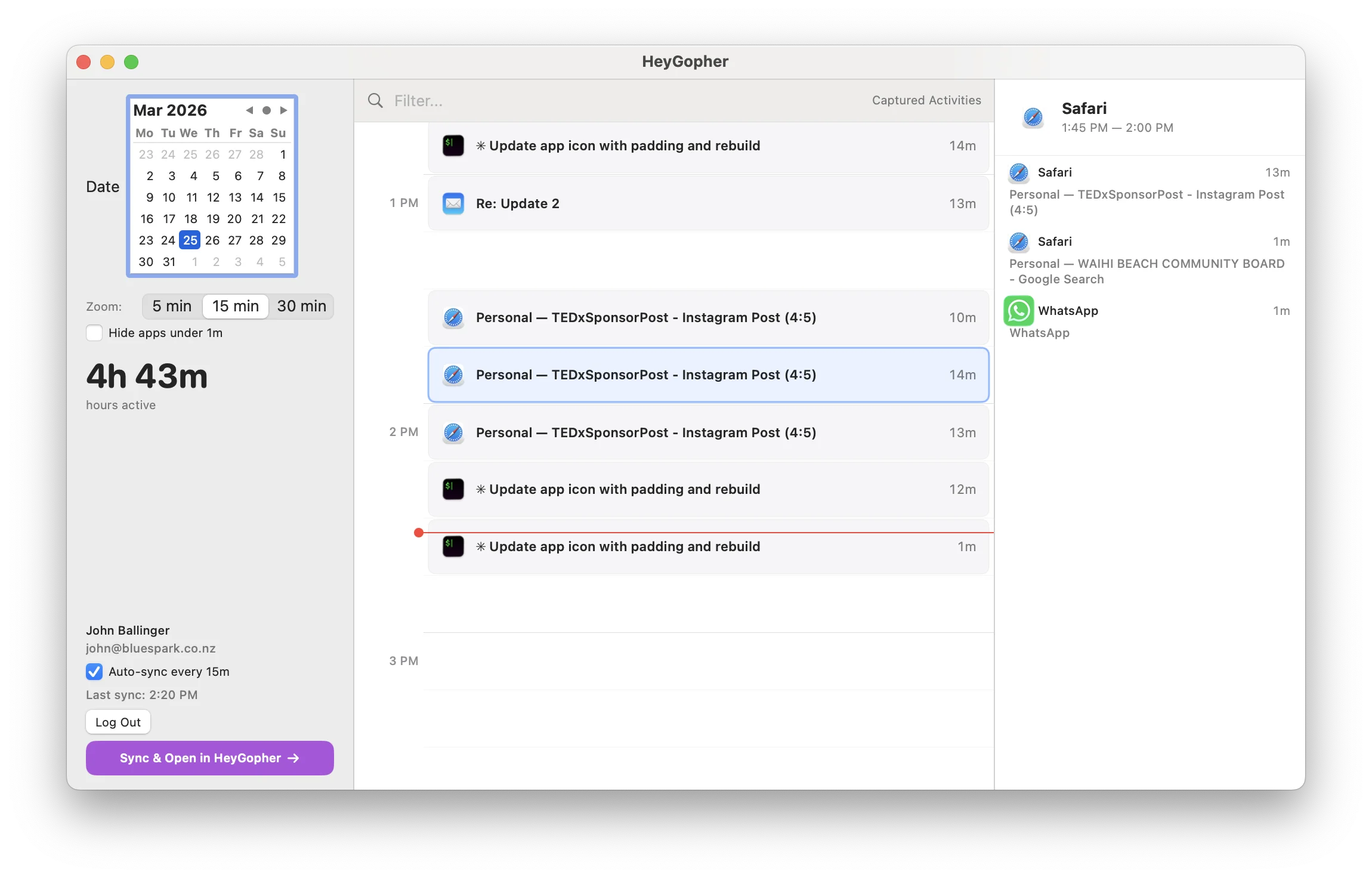
Your entire workday — every app, every document, every context switch — in one timeline.
Timers don’t work. You know this.
You forget to start them. You forget to stop them. You get interrupted and the timer runs for three hours on the wrong project. Real work is messy — timers assume it isn’t.
lost per year if you miss just 30 minutes of billable time each day at $100/hour.
of hours underestimated when logged from memory at the end of the day.
needed. HeyGopher tracks automatically — no buttons, no discipline required.
It’s not a timer. It’s a memory.
Install it once, forget about it. Here’s what a normal day looks like.
You start working
You open Figma. Then VS Code. A quick Safari search. A 20-minute Slack thread pulls you sideways. Back to Figma. HeyGopher quietly notes every switch. You don’t do anything.
Where did the day go?
Press ⌘T. Your whole day is right there — colour-coded by app, timestamped, with document names. That 40-minute CSS fix you forgot about? It’s right there.
Timesheet done
Sync to HeyGopher. Paint time blocks on the visual timeline, assign to clients, save. Accurate time entries in seconds — not 15 minutes of staring at a blank timesheet. Every minute accounted for.
Always there.
Never in the way.
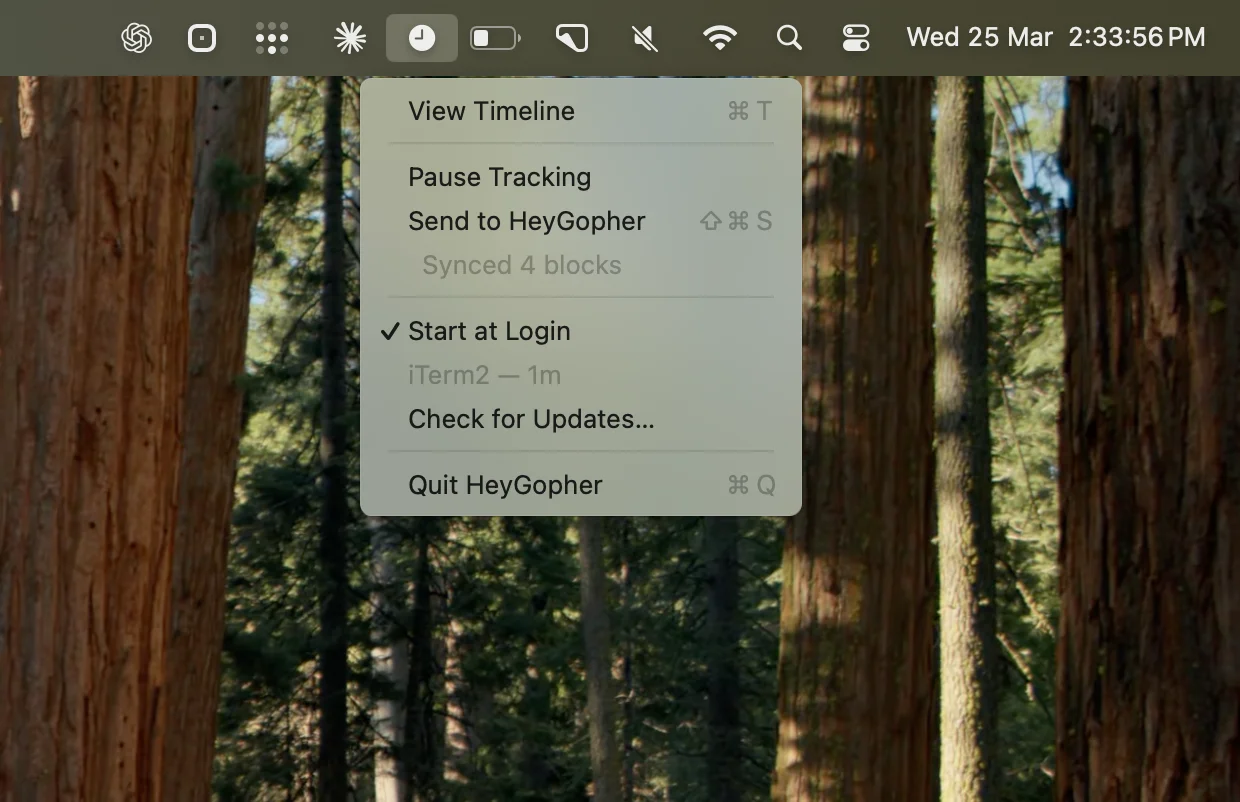
A small icon in your menu bar. Keyboard shortcuts for everything. Pause tracking anytime. See what you’re currently working on at a glance.
- ⌘T View your timeline
- ⇧⌘S Sync to HeyGopher
- ☑ Start at login — tracks from the moment you open your Mac
Privacy first. No exceptions.
We built this for ourselves — we’d never use an app that watched us work. HeyGopher sees just enough to jog your memory. Nothing more.
- ✓ Application name (e.g. “Figma”)
- ✓ Window title (e.g. “Brand Refresh”)
- ✓ How long you spent in each app
- ✗ Your screen or screenshots
- ✗ Keystrokes or passwords
- ✗ File contents or messages
- ✗ Webcam or microphone
Raw activity data is deleted after you review and assign your time. It never leaves your machine unless you sync.
Works for everyone who works on a Mac
Freelancers
Stop losing billable hours to bad memory. See exactly what you did and when, then bill your clients with confidence.
Anyone curious
No account needed. Just download and see where your time goes. Great for personal productivity or understanding your work patterns.
Teams
Every team member gets automatic tracking. Sync to HeyGopher and timesheets fill themselves. Managers get confidence in the numbers.
Built by a real developer, not a corporation
Native Swift app built by John Ballinger — developer on GitHub since 2009, founder of HeyGopher. Lightweight, auto-updates, source available on GitHub. No Electron, no bloat, minimal CPU usage.
Your Mac already knows
what you did today.
Stop reconstructing your day from memory. Let HeyGopher write it down. Free forever, no account required.
Download for MacmacOS 14+ · Signed & notarised · Auto-updates